
You need to be an Admin at the masjid, or an owner of the organisation. Anyone else sees a note saying an admin edits this page.
Open Website, then Page #
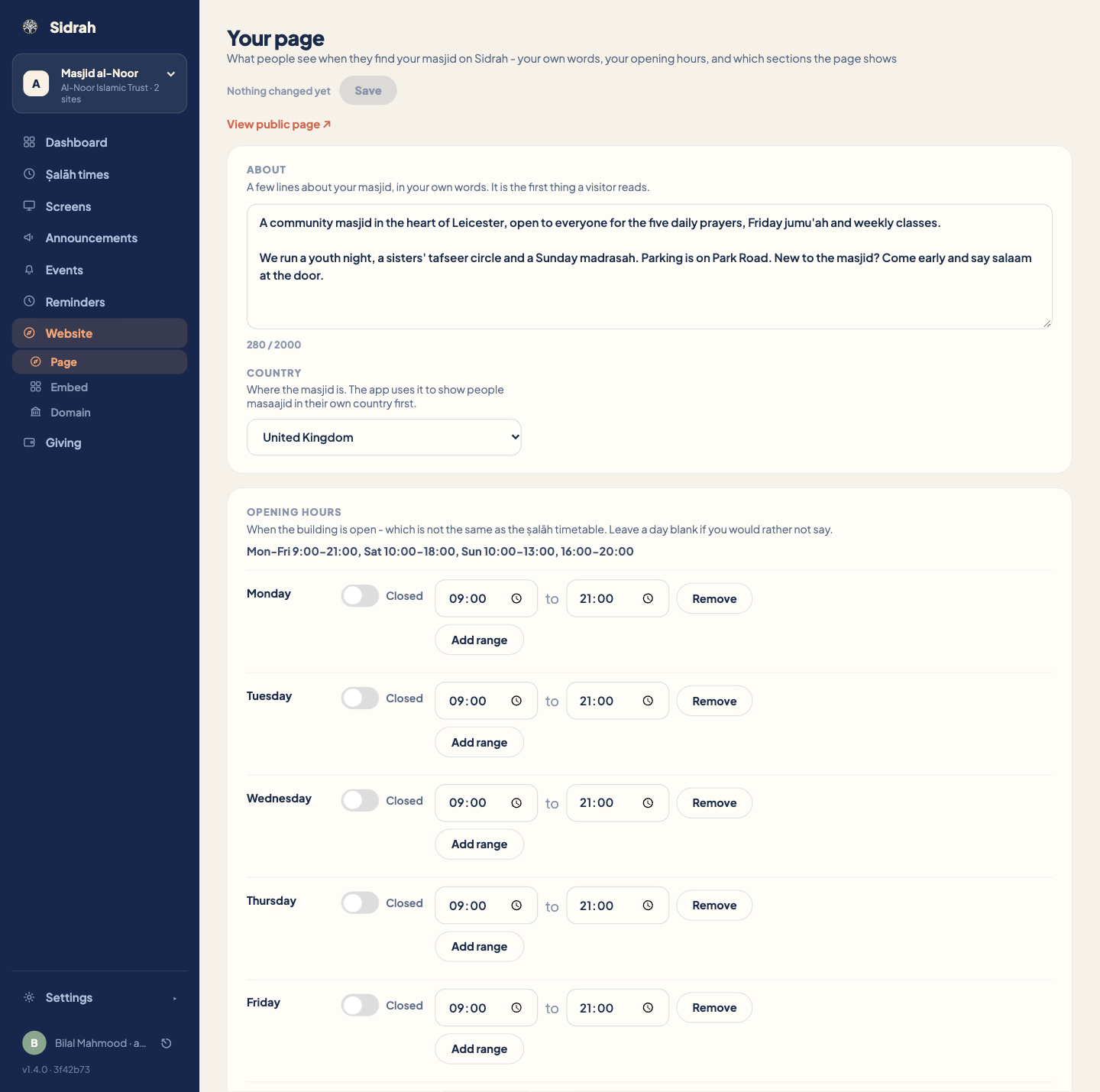
In the menu, press Website, then Page. The page is called Your page. View public page ↗ under the title opens your page in a new tab, so you can see it as visitors do.
Write your About text #
In the About box, write a few lines about your masjid in your own words. You have up to 2,000 characters. The counter under the box shows how many you have used.
Under it, check Country is right. The app uses it to show people the masaajid in their own country first.
Set your opening hours #
These are the hours the building is open, not your ṣalāh times. In the Opening hours card, for each day:
- Type an opening time and a closing time.
- Press Add range if the building opens twice that day, for example in the morning and again in the evening. Remove takes a range away.
- Switch on Closed if the building is shut all day.
- Leave a day blank if you would rather not say. Your page shows Not stated for that day.
A summary of your week appears at the top of the card, such as "Mon-Fri 9:00-21:00, Sat 9:00-12:00". If a day is missing a time, or closes before it opens, a red line says which day to fix.
Choose which tabs your page shows #
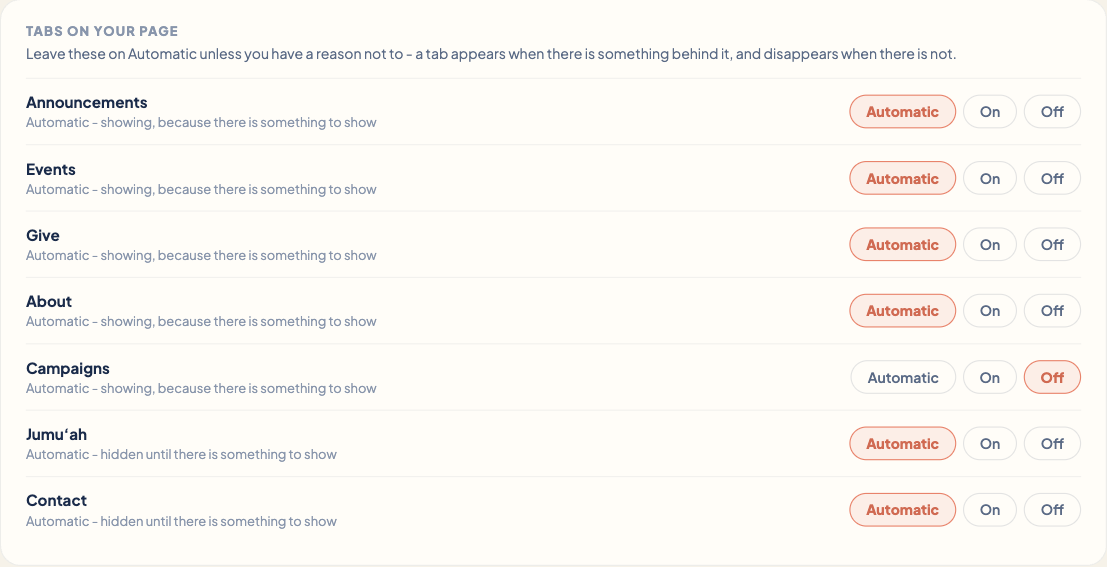
Your times are always at the top of the page. The Tabs on your page card lists the other tabs: Announcements, Events, Give, About, Campaigns, Jumu‘ah and Contact. Each one has three choices:
- Automatic - the tab shows when it has something in it, and hides when it does not. This is the best choice for most masaajid.
- On - the tab shows whenever it has something in it. An empty tab still stays hidden, so in practice this works like Automatic.
- Off - the tab is hidden, even when it has something in it.
The grey line under each tab says whether it is showing right now. Jumu‘ah is not a tab of its own on the page. When it is showing, your Jumu‘ah times appear under your daily times.
Save your changes #
Beside the Save button at the top, Sidrah counts your changes, such as 2 changes to save. Press Save. You will see Saved ✓. Everything on this page saves together.
Check your page #
Press View public page ↗. Under your masjid's name you will see a row of tabs, starting with Times. If only the times have anything to show, there is no tab row at all.
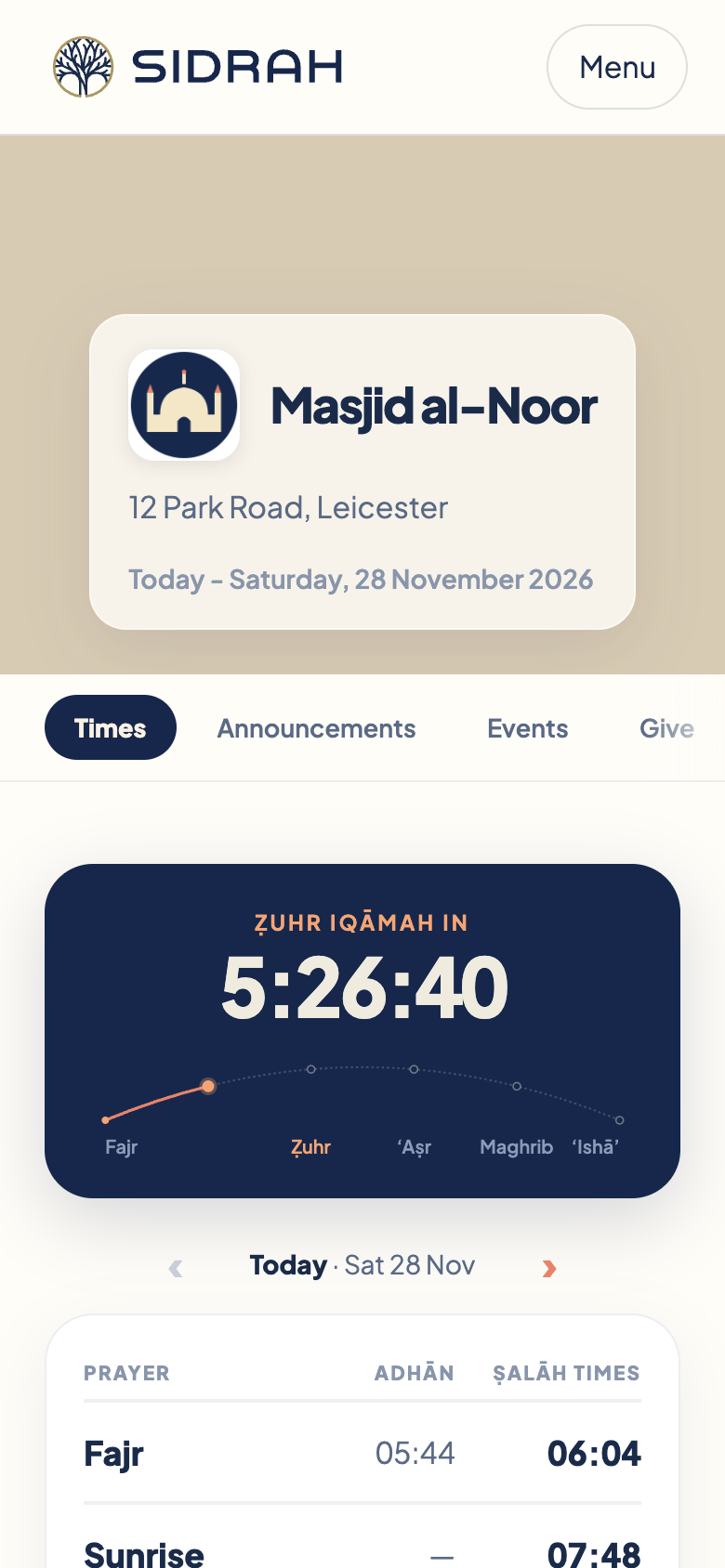
Some things appear on their own, with nothing to set here:
- Today's ṣalāh times, with a countdown to the next ṣalāh.
- During Ramaḍān, Suḥūr ends and Ifṭār times, and a Tarāwīḥ row, once you have set up Ramaḍān.
- Under Events, who each event is for, such as Brothers or Sisters, when you have chosen it on the event.
- Under About, your photos, your facilities, your opening hours, and directions if your map pin is set.
To change your masjid's name, address or contact details, email us. To show this page at your own web address, see Use your own web address.