
You need a sign-in for your masjid's website, and a page there where you can add code. If someone else looks after the website, you can copy the code from Sidrah and send it to them.
Open Website, then Embed #
In the menu, press Website, then Embed. The page is called Website widget. To embed something means to show it inside another website. The widget is the box of times you will add to yours.
The widget shows today's times, tomorrow's, and a live countdown to the next ṣalāh. It always uses your masjid's own time, wherever the visitor is. On Fridays, Ẓuhr shows as your Jumu‘ah.
It also changes shape to fit. On a wide page it looks like the board on your wall, with the ṣalāh across the top. In a narrow column or on a phone, it shows one row per ṣalāh.
Choose the colours #
Next to Colours, press Auto, Light or Dark. Auto turns light or dark to match each visitor's phone or computer. Light and Dark look the same for everyone, so pick the one that suits your website.
The code below changes to match your choice.
Copy the code #
Under Code to paste, press Copy code. The button changes to Copied ✓. If copying does not work, highlight the code in the grey box and copy it by hand.
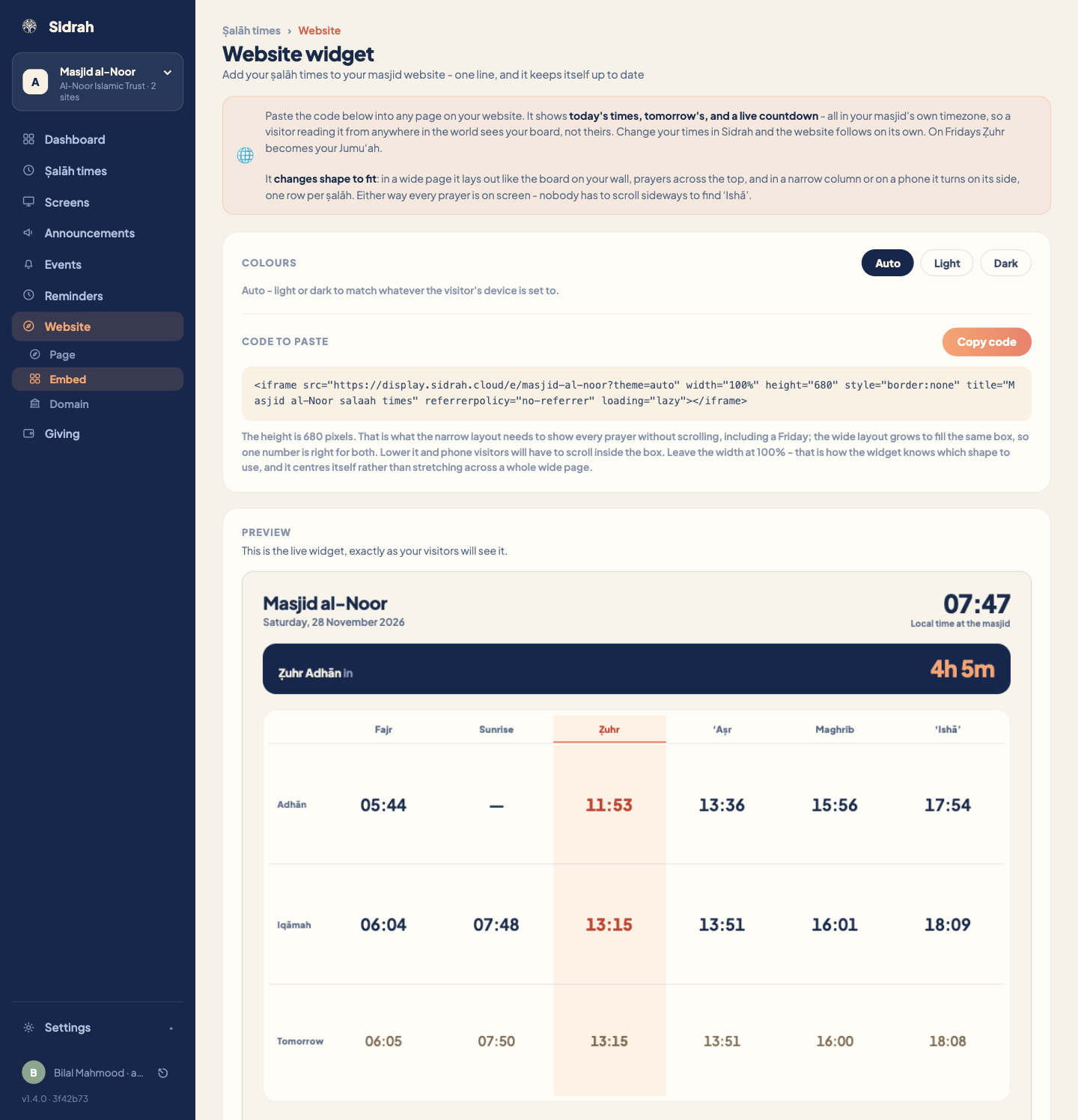
Paste the code as it is. The height of 680 pixels fits every ṣalāh on a phone, Fridays included. If you make it smaller, phone visitors have to scroll inside the box. Leave the width at 100%, because that is how the widget knows which shape to use.
Paste the code into your website #
Open the page on your website where you want the times, in your website's editor. Add a block that takes code. It is often called Custom HTML, HTML or Embed. Paste the code into it, then save or publish the page.
If your website already shows times from another timetable service, delete that old code first and paste the Sidrah code in its place. Then you only have to keep your times up to date in one place.
Check it worked #
The Preview at the bottom of the Sidrah page is the live widget, as your visitors will see it. Now open your own website, on a computer and on a phone. You should see the same times, laid across the page on the computer and in rows on the phone.
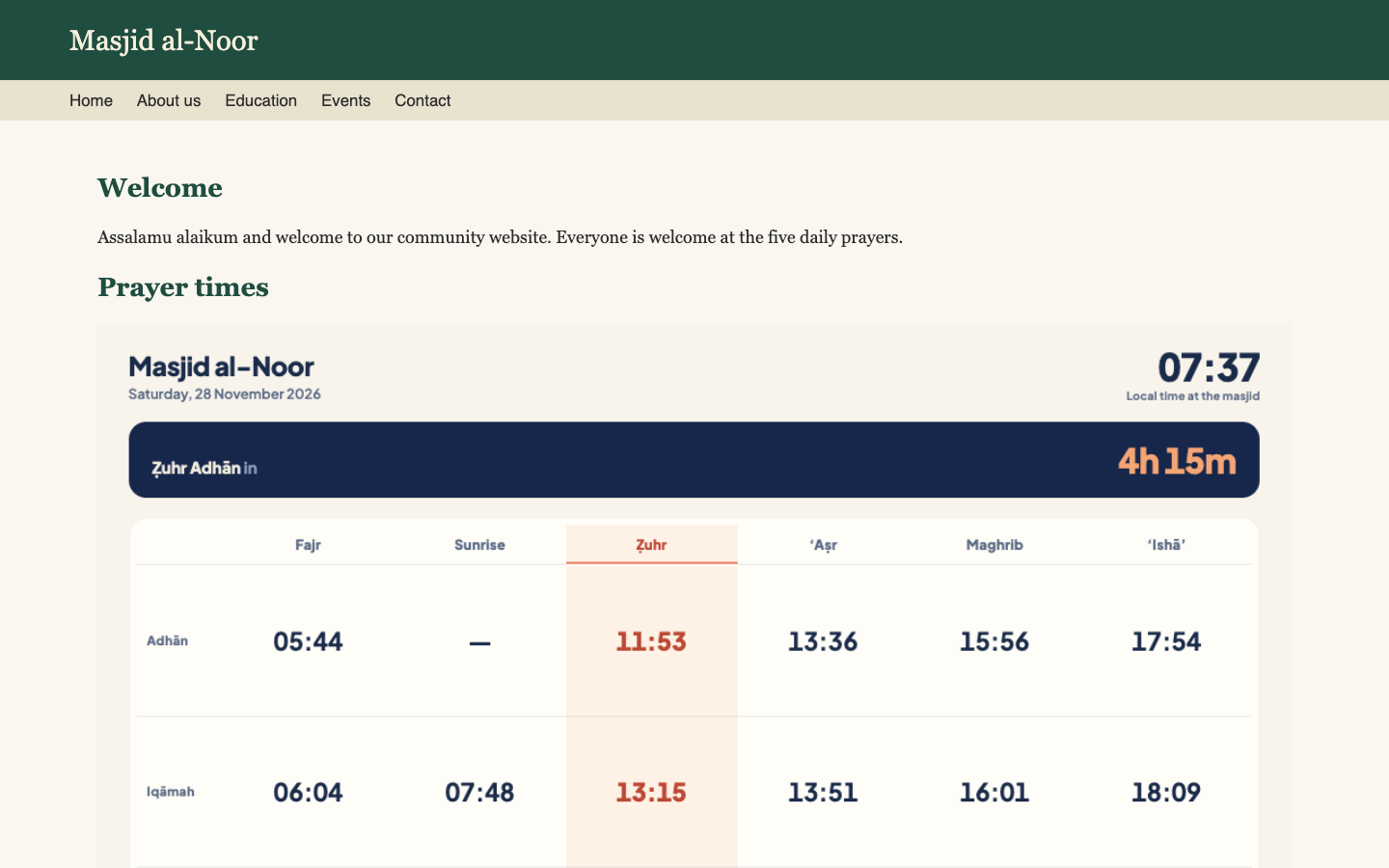
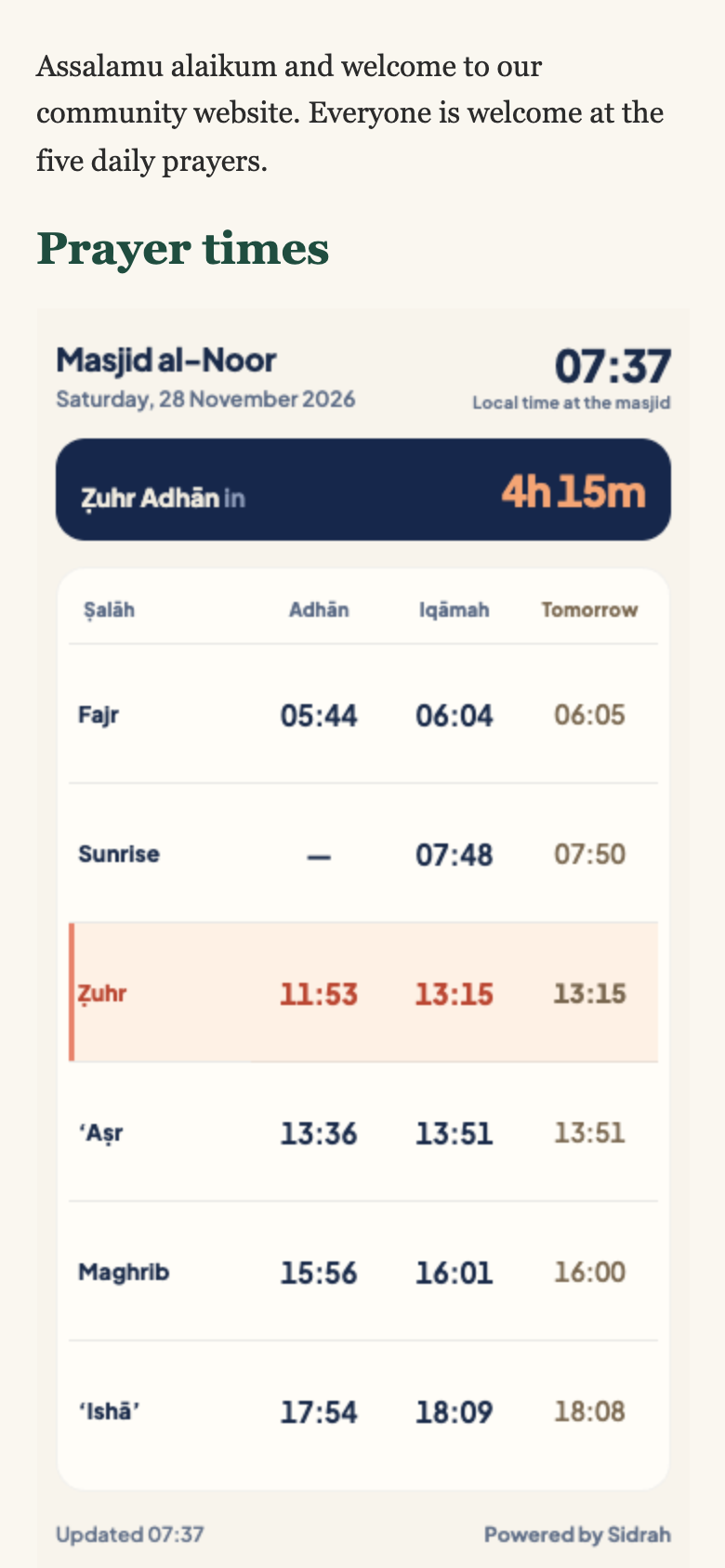
You do not need to touch the code again. When you change your times in Sidrah, the widget on your website follows.