
Open Salaah times in the left-hand menu. You need the Editor or Admin role for your masjid. Everything on this page saves per masjid, so if your trust runs more than one site, check the masjid name at the top of the sidebar before you start.
Choose where your times come from #
The pill at the top right of the page is the source switch. Everything else on the page follows from it.
- Calculate - Sidrah works the adhan times out from your map pin, every day, for ever. Nothing to maintain.
- Manual - you supply the times yourself, either by typing them into the month grid or by importing a spreadsheet. An imported timetable counts as manual.
- Follow - your times mirror another masjid's. This option only appears once you have chosen a masjid to follow on the import and follow page, and you can add your own iqamah offsets on top of theirs.
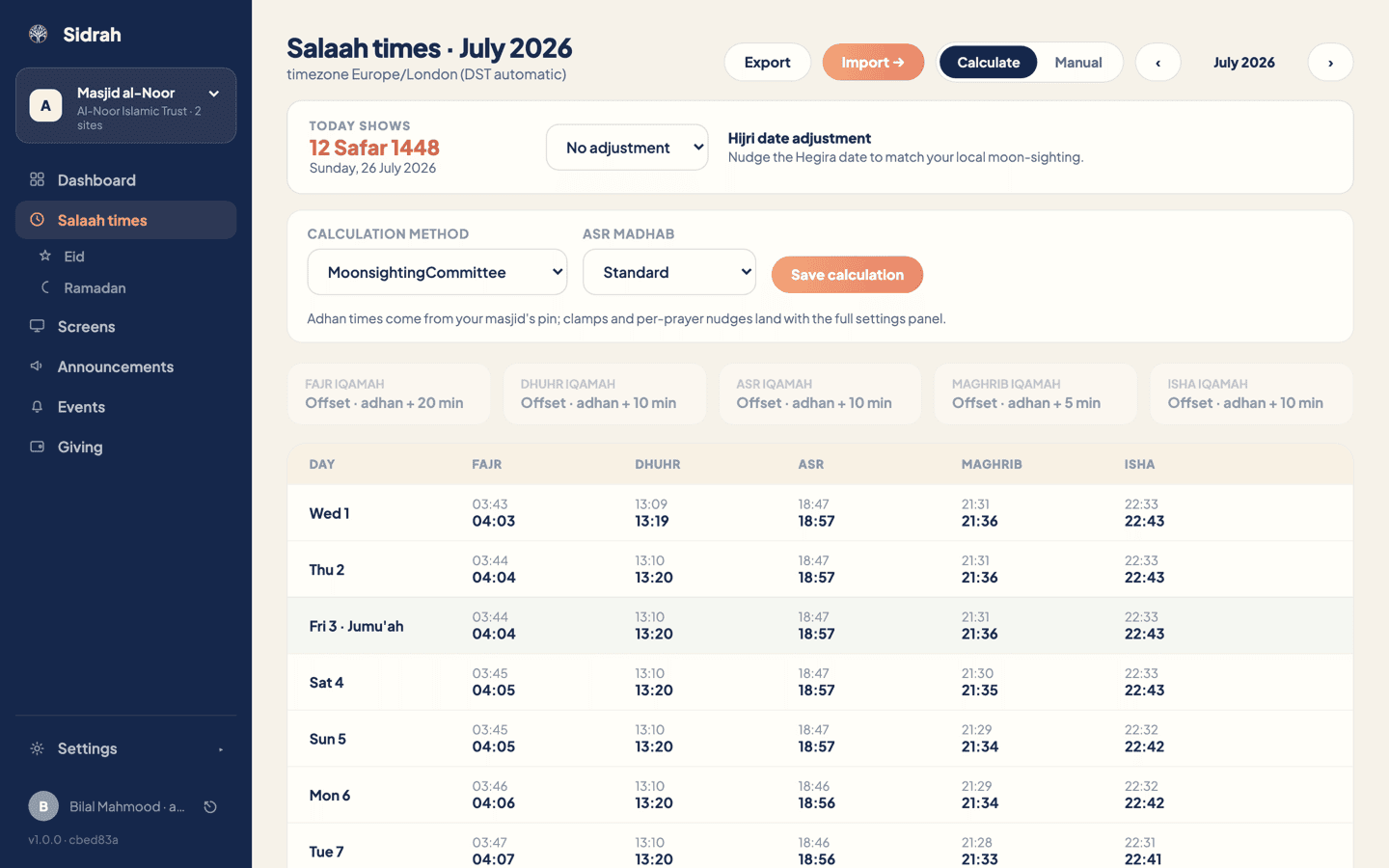
Pick a calculation method and Asr madhab #
With Calculate selected you get a small panel with two choices. There are twelve methods to pick from - Muslim World League, Moonsighting Committee, North America, Egyptian, Karachi, Umm al-Qura, Dubai, Qatar, Kuwait, Singapore, Tehran and Turkey. Set Asr madhab to Standard or Hanafi to match how your community prays, then press Save calculation. The grid below redraws straight away.
Adhan times are worked out from your masjid's map pin, so if the times look a few minutes off, the pin is usually the culprit. You can set or correct it on your masjid profile.
Pick whichever method your community already recognises from the printed timetable on the wall. People notice a two-minute shift in Fajr more than you would think.
Set your iqamah rules #
Under the calculation panel sits a strip of five cards, one per salaah, each showing the rule in force - for example Offset · adhan + 20 min for Fajr. Click a card to open it.
Inside, type a number of minutes into Adhan + minutes (anything from 0 to 180). That tells Sidrah "iqamah = adhan + N minutes", so the iqamah walks with the adhan through the year without anyone touching it again. Press Apply offset from today to push the rule across every remaining day, or Close to leave the strip alone.
Applying an offset also wipes any per-day iqamah values you had typed in for that salaah from today onwards, so the rule really is in charge rather than quietly losing to old entries. Sidrah tells you how many entries it cleared. If you remove a rule instead, that salaah's iqamah simply matches its adhan again.
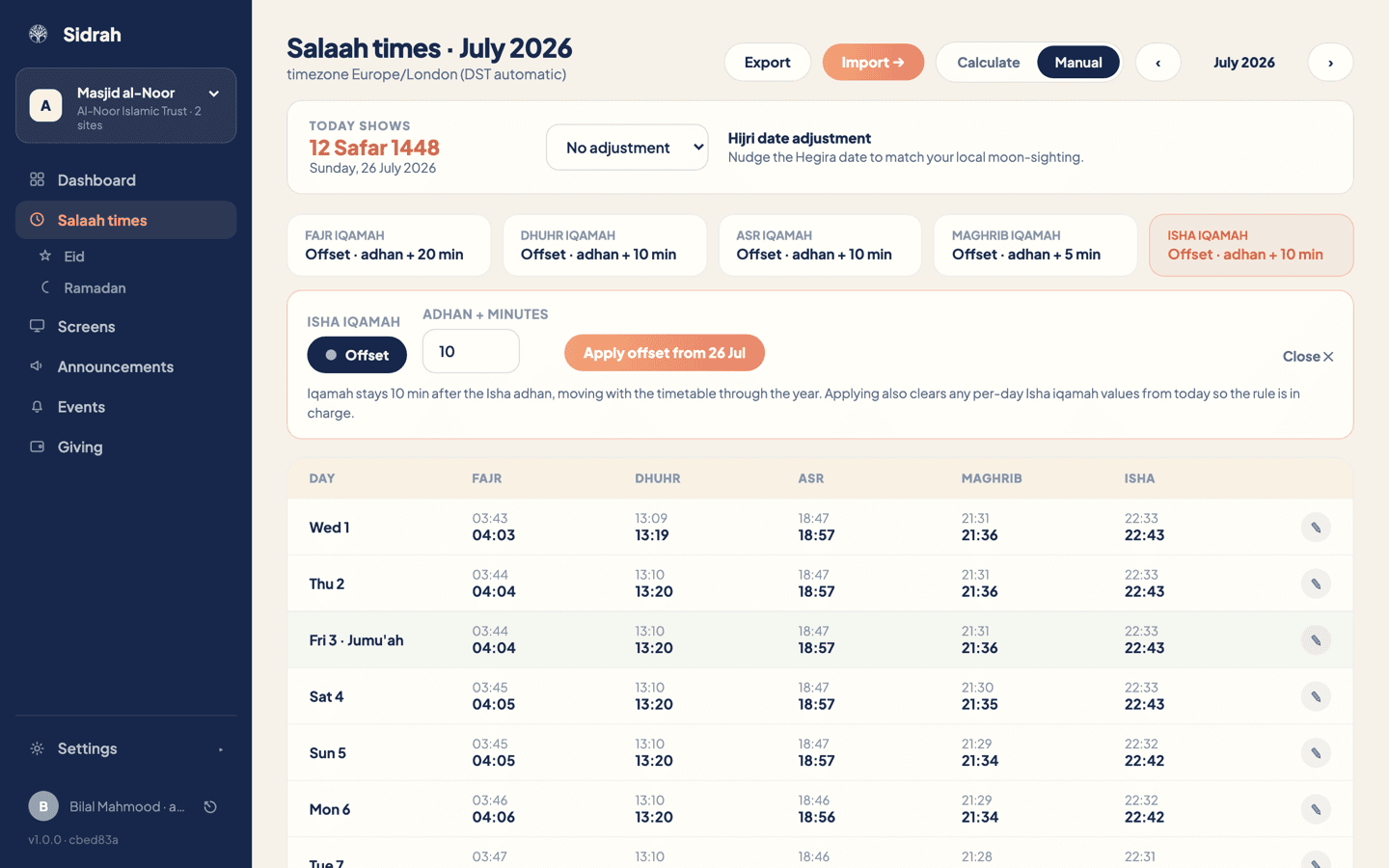
The rule cards are editable when your source is Manual or an imported timetable. On Calculate they sit greyed out, because calculated days are derived rather than stored. If you want calculated adhan times but hand-picked iqamah times, use the round trip: Export the year, adjust the iqamah columns in a spreadsheet, then import it back.
Nudge the Hijri date if you need to #
The cream band near the top shows what your screens and the app are displaying today, in both the Hijri and the Gregorian calendar. If your community's moon-sighting puts you a day either side of the calculated date, choose an adjustment of up to two days from the dropdown. The date on the left updates as a live preview, so you see the result before you save it. This one setting drives every Hijri date your masjid shows, including the automatic Eid takeover.

Check it worked #
Scroll the month grid. Each row shows the adhan in light grey with the iqamah in bold underneath it, today's row is outlined, and Fridays are tinted. Use the arrows beside the month name to look ahead a few months and satisfy yourself that the times move sensibly through the seasons.
Every change you make here quietly drafts a "time change" announcement for your subscribers, and a Change saved banner appears with a Review draft button. Nothing is sent until you open that draft and publish it, so if the change was a small correction you can simply dismiss the banner.
Friday rows are highlighted in the grid, and the jumu'ah times you supply are what worshippers see in the app and on your screens. There is no dedicated jumu'ah editor in the dashboard yet - it is on its way. In the meantime, if your khutbah time needs changing, email us and we will sort it out with you.