
You do not need anything technical to hand. Your masjid's name and address, an email address you can open right now, your charity number if you have one, and a few photos of the masjid if they happen to be on the device you are using. It is free for masaajid, and it stays free.
Use an email address that belongs to you and that you will still have in a year. It becomes your sign-in for the admin dashboard, and Sidrah has no passwords - everything arrives at that address. A masjid address such as office@yourmasjid.org is usually a safer choice than a personal one.
Open the form and pick your country #
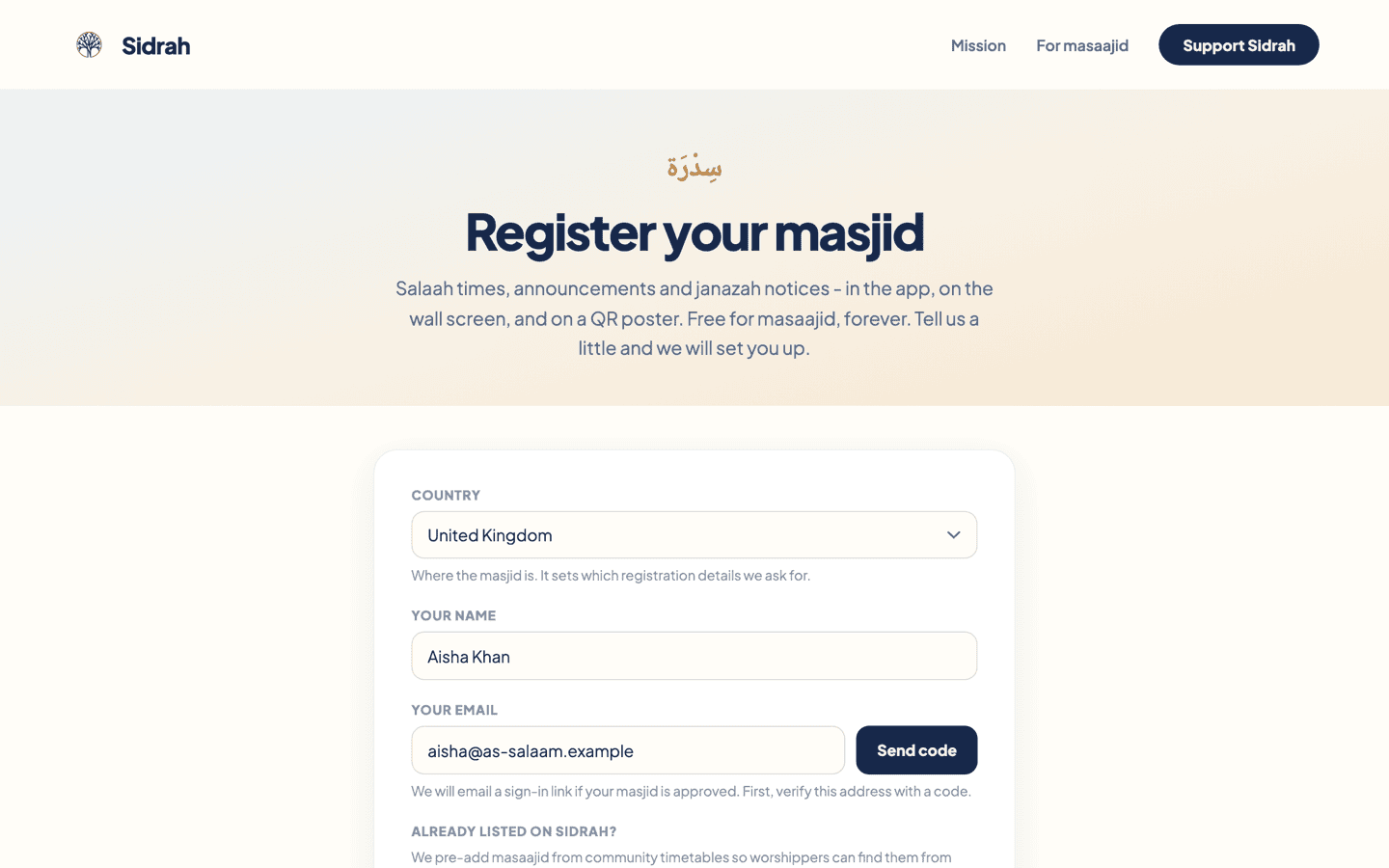
Go to sidrah.cloud/register. The first field is Country, and it does more than it looks - it decides which registration details we ask you for further down. The United Kingdom is selected already, so most masaajid can leave it alone.
Verify your email with a 6-digit code #
Put your own name in Your name - not the masjid's - because this is who we will reply to. Then type your email and press Send code.
A 6-digit code box appears underneath. Open your inbox, type the six digits in, and press Verify. The code expires after fifteen minutes, so if you get distracted just press Send code again. When it has gone through you will see a small green Email verified line.
No code after a minute or two? Check the junk folder, and check the address for a typo. If you change the email after asking for a code, the form resets the verification and you will need a fresh one.
Check whether your masjid is already listed #
Under Already listed on Sidrah? there is a search box, and it is worth a moment even if you have never used Sidrah before. We pre-add masaajid from published community timetables so worshippers can find them from day one, which means yours may already be sitting there waiting for you.
Search by name, street or postcode. Matching listings appear underneath with their addresses, so you can tell two similarly named masaajid apart.
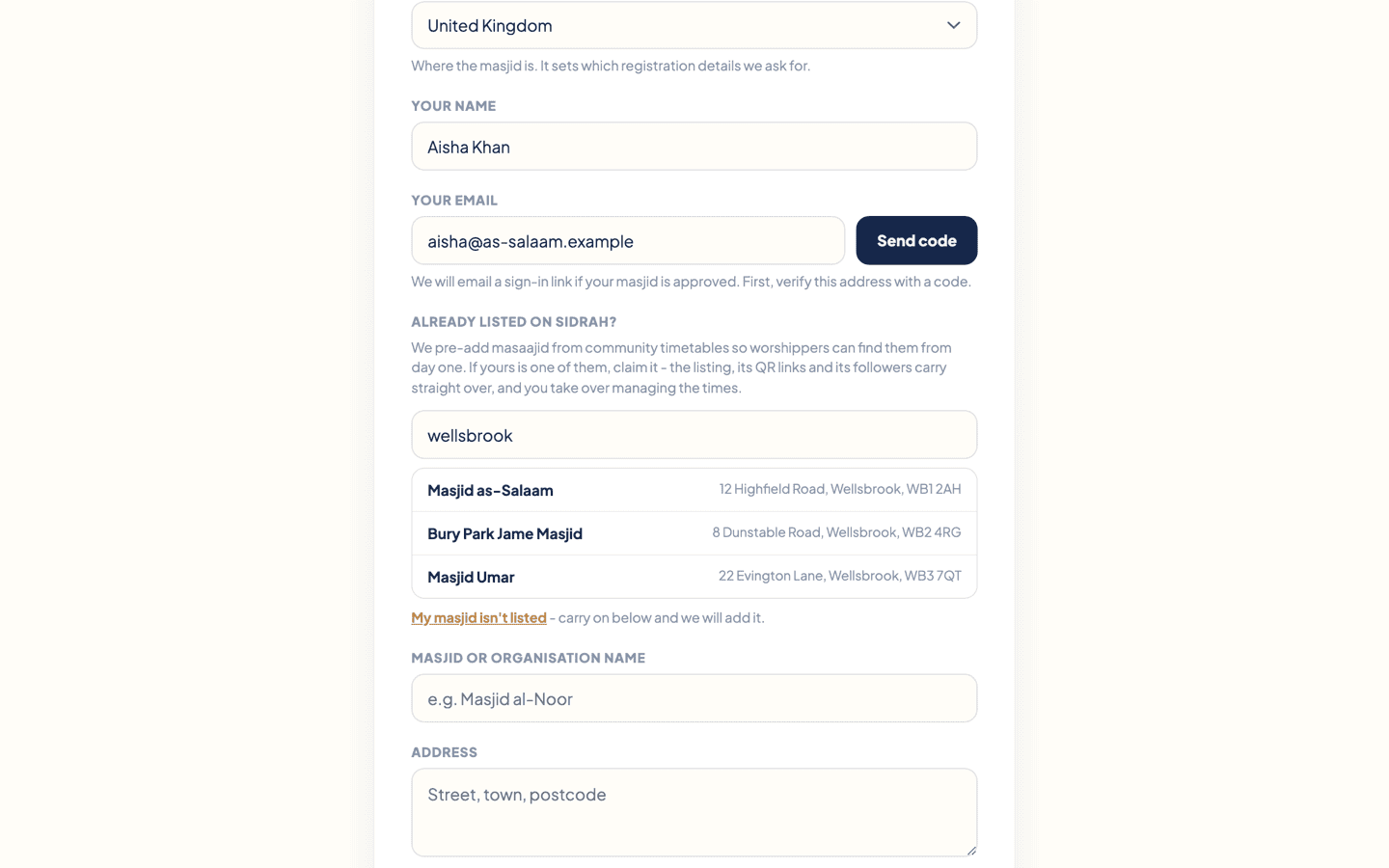
If nothing matches, press My masjid isn't listed and carry straight on. We will add it as a new listing, and nothing is lost by taking that path.
Claim the listing, and keep what it already has #
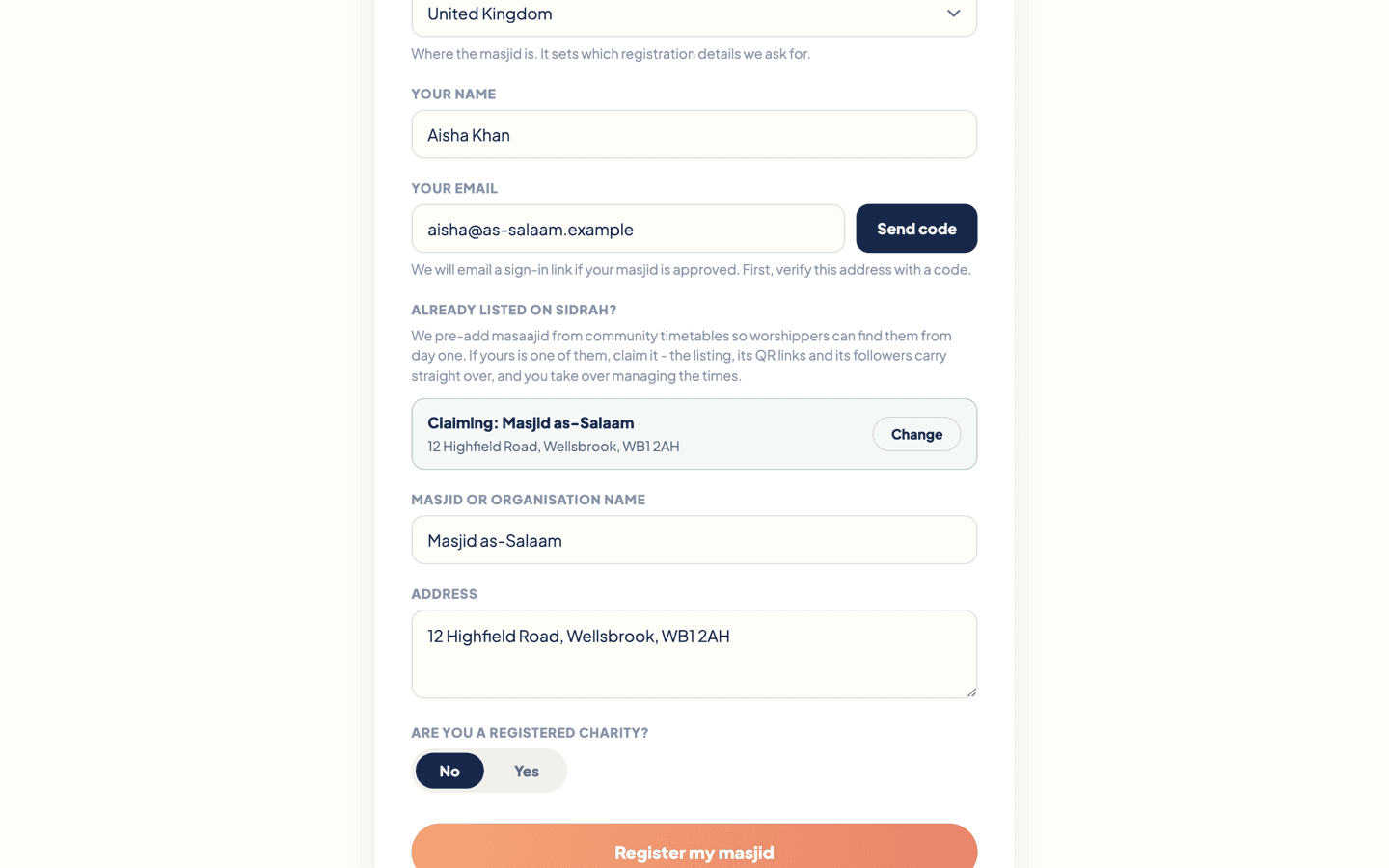
Click your masjid in the results and it turns into a confirmation card reading Claiming: your masjid's name, with a Change button if you picked the wrong one. The name and address fields below fill themselves in from the listing.
Claiming rather than starting fresh matters, because everything the listing has built up comes with it:
- The listing itself - your place on the map and in Discover, with the times we already imported.
- Your followers - everybody already subscribed to the masjid in the app stays subscribed.
- QR links and posters - the listing keeps its own web address, so any QR poster already printed and stuck to the noticeboard carries on working.
Nothing is overwritten. You become the people who look after it, and you can edit the times from the dashboard afterwards. If the name or address we hold is wrong, email us and we will put it right - there is no self-serve edit for those yet.
Add a few photos, if you have them on this device #
Underneath the name and address is Photos of your masjid (optional). Click the dashed square, pick up to five pictures - JPG, PNG or WebP, up to 12MB each - and each one uploads there and then, appearing as a small thumbnail with an × on it if you change your mind.
They are worth the two minutes. When your registration is approved these become your masjid's opening gallery in the app, in the order you added them, and the front of the building doubles as your masjid's picture on its profile. Exteriors and prayer halls work best.

Nothing here can hold your registration up. Skip it entirely if you are on a desktop with no photos to hand, and add up to twelve of them later from Settings ▸ Photos in the admin - see Photos of your masjid. A file that is the wrong type or too large is quietly left out with a line saying which one, and the rest carry on.
Charity details, if you are a registered charity #
Are you a registered charity? is a simple No or Yes. Choose Yes and two more fields open up.
Start typing in Charity name and we search the register for you, then fill the number in when you pick a result. That search covers England and Wales only. If you are registered in Scotland, Northern Ireland or anywhere else - or the search is having a bad day - just type the charity name and number in by hand.
Answering No will not hold your registration up. You will need charity details later if you want to take donations through Sidrah, but that is a separate step you can come to whenever you are ready.
Send it, then watch your inbox #
Press Register my masjid. The form is replaced by a short thank you, which is how you know it arrived. If a photo is still going up the form waits and says so - give it a moment and press again rather than losing the picture.
From there a person on the Sidrah team reads your registration - we check that a masjid is a masjid and that a claim is going to the right people, which is why this is not instant. When it is approved, a sign-in link lands at the email address you verified. If anything looks missing or unclear we will write to you at that address instead.
When the link arrives, carry on with your first sign-in.