
Giving is an organisation-level job: you need the org Owner or Finance role to see the Giving item in the left-hand menu at all. If it is not there, ask an org owner to add the role - see Users and roles.
Donations go straight to your charity's own Stripe account. Sidrah takes 0%, forever, and never holds your money. We are not a payment processor and we are not a middleman: the card payment goes from the donor to your charity, and you manage payouts and refunds from your own Stripe dashboard, exactly as you would if Sidrah did not exist.
Connect your charity's Stripe account #
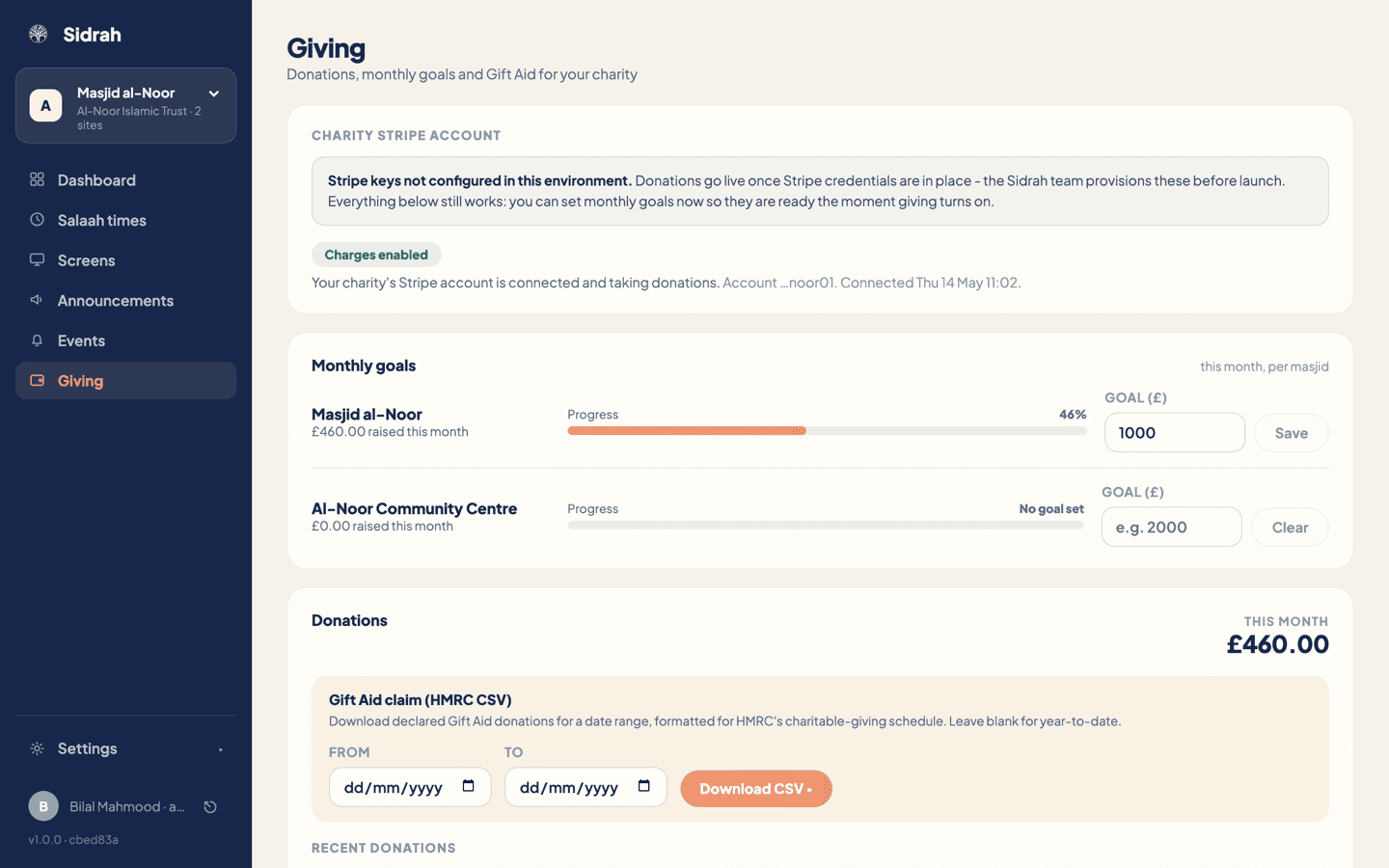
Click Giving in the left-hand menu. The first card is Charity Stripe account, and it will be in one of three states:
- Not connected yet - click Connect your charity's Stripe. Stripe takes over from there and asks for your charity's details and bank account. Have your charity number, registered address and account details to hand.
- Setup not finished - Stripe has your account but has not enabled it to take charges yet, usually because a document or a detail is outstanding. Click Finish Stripe setup to pick up where you left off.
- Charges enabled - you are live. The card names the account and the date it was connected.
Use your charity's real Stripe account, opened in the charity's name. If your trust already takes card donations through Stripe, connect that same account rather than opening a second one.
Set a monthly goal for each masjid #
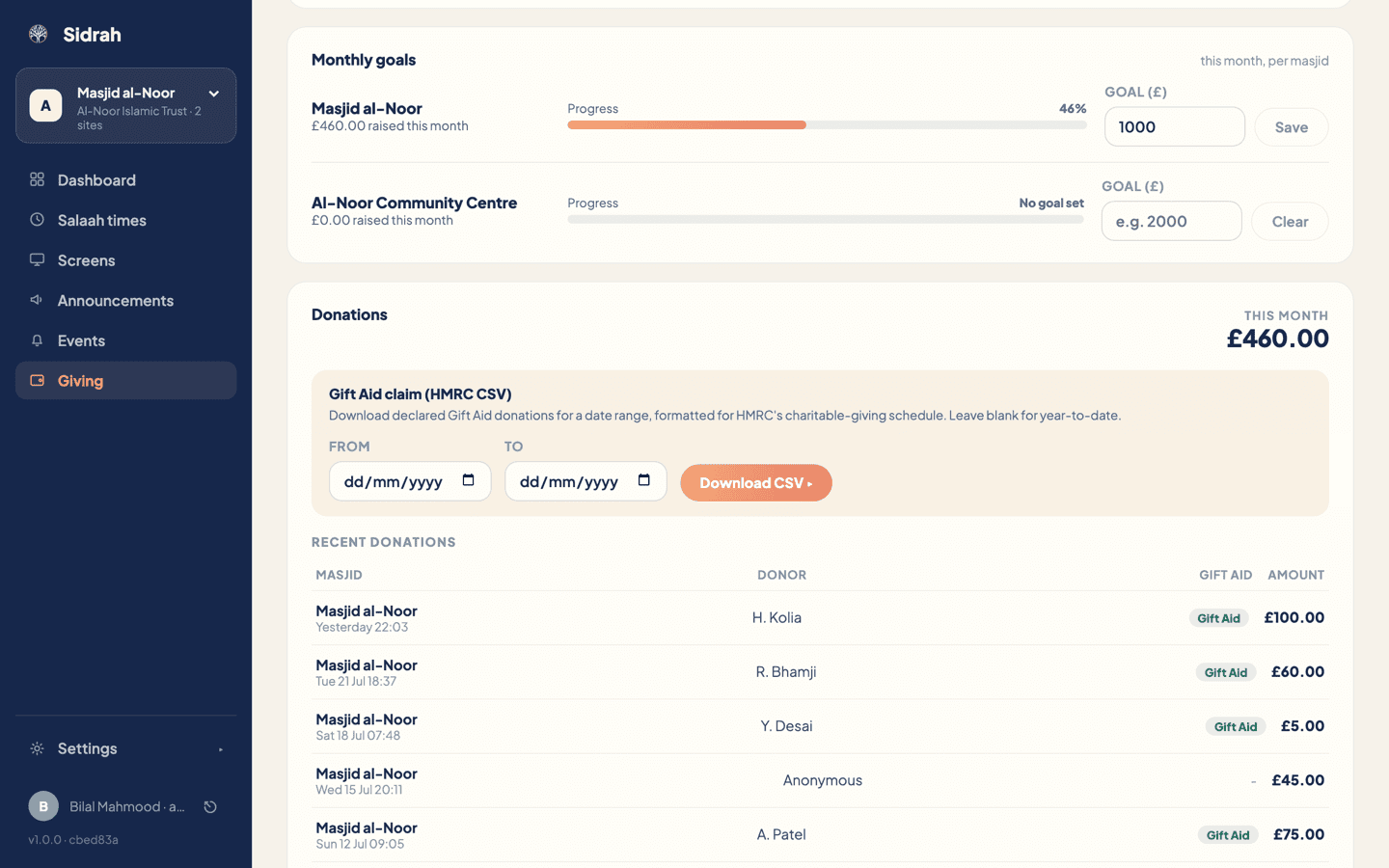
Under Monthly goals there is one row per masjid. Type a whole number of pounds into the Goal (£) box and click Save. To take a goal down again, clear the box and click Clear.
The row then shows what has come in this month against that figure, as a percentage and a progress bar. Goals are per calendar month and per masjid, so a trust with two sites can run one goal for the roof fund and leave the other blank.
Once a goal is saved and your Stripe account is live, it appears in two places your community will actually see it:
- On the wall. Screens carrying the goal zone show "This month's goal", the amount raised against the target and a filling bar, beside a QR code the congregation can scan on their way out. Without a goal the same zone quietly invites people to follow the masjid instead.
- In the app. Your masjid's profile gains a support row that opens your give page in the phone's browser.
Set a goal you can name out loud: the month's utility bills, the imam's stipend, the new boiler. A figure with a reason behind it gets met far more often than a round number with nothing attached, and it makes the meter on the wall worth glancing at.
A goal is a ceiling as much as a target. The whole point of publishing the month's need is that when it has been met, the asking stops - nobody in your community should be quietly over-solicited month after month, and a visible bar is what makes that promise checkable.
Check it worked, and watch the donations arrive #
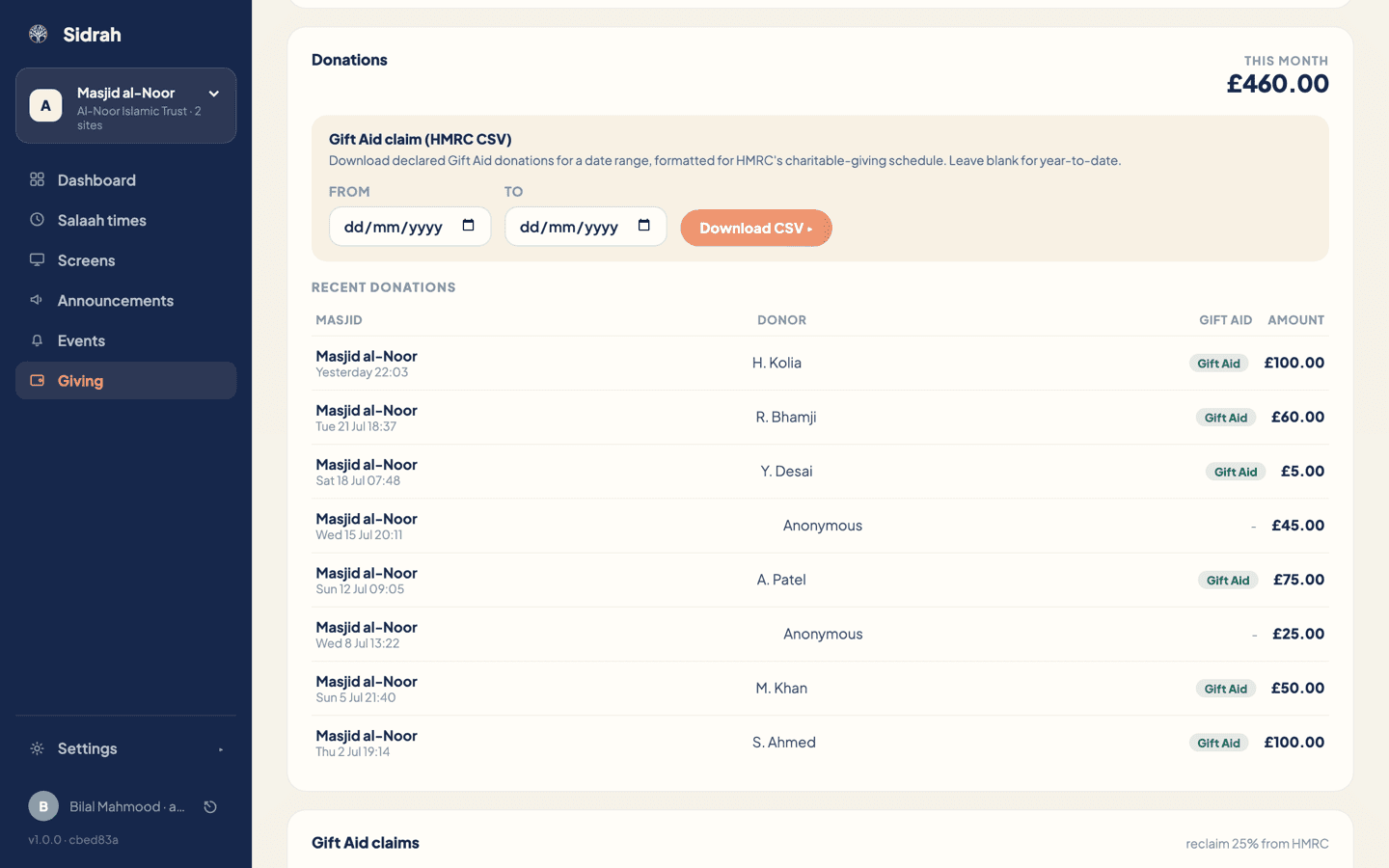
The Donations card at the bottom of the page carries the running total for this month in the top right, then the most recent donations, eight to a page. Each line names the masjid, the time it came in, the donor, and the amount.
Donors who ask not to be named show as Anonymous, and Sidrah honours that in the list. A teal Gift Aid badge marks the donations where the donor made a declaration at checkout, which is where Gift Aid picks the story up.
The best final check is to give a pound to your own masjid from your phone. It should appear in this list within a moment or two, move the goal bar, and show up in your charity's own Stripe dashboard - because that is where it went.