
Open Salaah times in the left-hand menu, then Eid underneath it. You can fill this in months ahead - nothing shows to your community until the Eid day itself.
Say whether you hold Eid salaah #
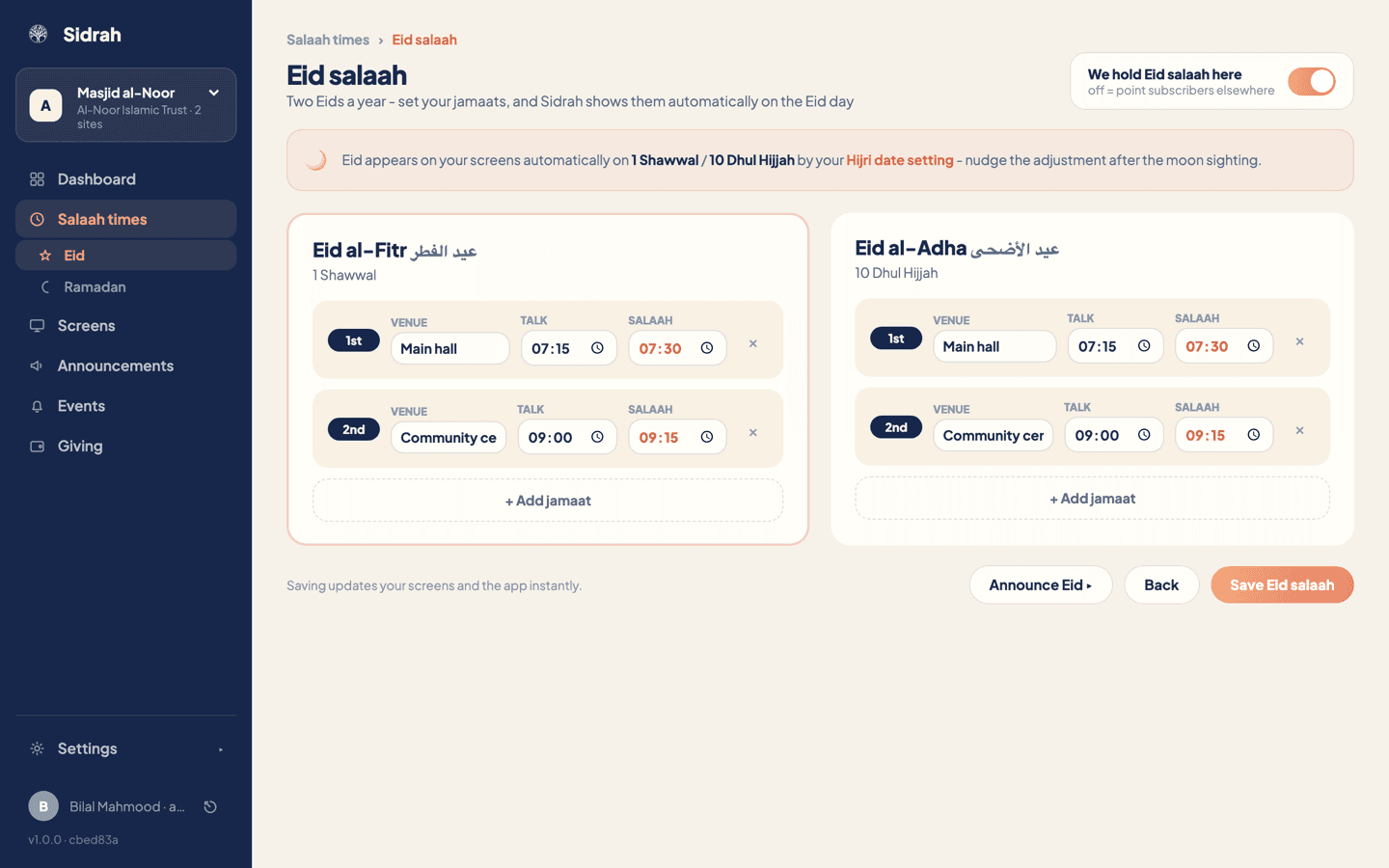
The toggle at the top right, We hold Eid salaah here, is the master switch. Leave it off if your community goes to the big Eid gathering elsewhere - that is a perfectly good answer, and it means your listing points subscribers somewhere useful rather than showing nothing at all. Switch it on and the two Eid cards open up beneath.
Add your jamaats in order #
Press + Add jamaat under Eid al-Fitr. Each jamaat is one row with three things to fill in:
- Venue - where this sitting is held. Write it the way your community says it: "Main hall", "Community centre", "Marquee, rear car park".
- Talk - the time the takbeer and the talk begin, so families know when to be in their seats rather than when to be in the car park.
- Salaah - the time the salaah itself starts.
Add as many as your hall needs. They are numbered 1st, 2nd and so on in the order you add them, and that is the order the community sees them in. The small cross at the end of a row removes it.
If your two Eids run to the same shape - same halls, same sittings - fill in Eid al-Fitr first, then press Copy from Eid al-Fitr on the Eid al-Adha card and adjust the times. It saves retyping the venues.
Understand when it appears #
You never set a Gregorian date here, and that is deliberate. Eid takes over your screens and the app automatically on 1 Shawwal and 10 Dhul Hijjah, worked out from the Hijri date your masjid is keeping.
That means the accuracy of the takeover depends on one setting elsewhere: the Hijri date adjustment on the Salaah times page. If your community's moon sighting comes in a day either side of the calculated date, nudge that adjustment as soon as the sighting is confirmed and the Eid takeover moves with it. There is nothing to change on this page.
Get the Hijri adjustment in before the night, not on the morning. It is the same setting that drives Ramadan, so if you have already nudged it for the start of the month, Eid will usually land correctly without any further help.
Save, then tell people #
Press Save Eid salaah. Your screens and the app pick the change up instantly, as the line above the buttons says.
Waiting for the day is fine for the screens, but people plan Eid a week ahead. Press Announce Eid and Sidrah opens the announcement composer with the Eid category already chosen, so you only have to write the words and choose your channels. Publishing with the push channel on will ask you to confirm before it reaches anybody's phone - see posting announcements for how that works.
To check it all landed, look at your public listing in the app: the jamaats should be there in order with venue, talk time and salaah time on each one.