
You need an account with eMasjid Live or LiveMasjid already. Sidrah does not broadcast anything itself. Only a masjid admin or the organisation owner can set this up.
Open Live streaming #
Open Settings at the bottom of the menu, then Live streaming. Each service has its own card. Fill in only the one your masjid uses.
If you use eMasjid Live, add your channel #
On the eMasjid Live card, switch the toggle on.
In Channel, type the part that comes after /miniplayer/ in the embed code eMasjid gave you. For example, if the code contains emasjidlive.co.uk/miniplayer/masjidadamoadby, type masjidadamoadby.
Press Check. The eMasjid player opens below the box. If it shows your masjid, the channel is right. Press Hide to close it.

If you use LiveMasjid, add your mount #
On the LiveMasjid card, switch the toggle on.
In Mount, type your masjid's name on LiveMasjid. It is the last part of your LiveMasjid page address. For example, for livemasjid.com/soofie, type soofie.
Press Check. Your LiveMasjid page opens in a new tab. If it is your masjid, the mount is right.
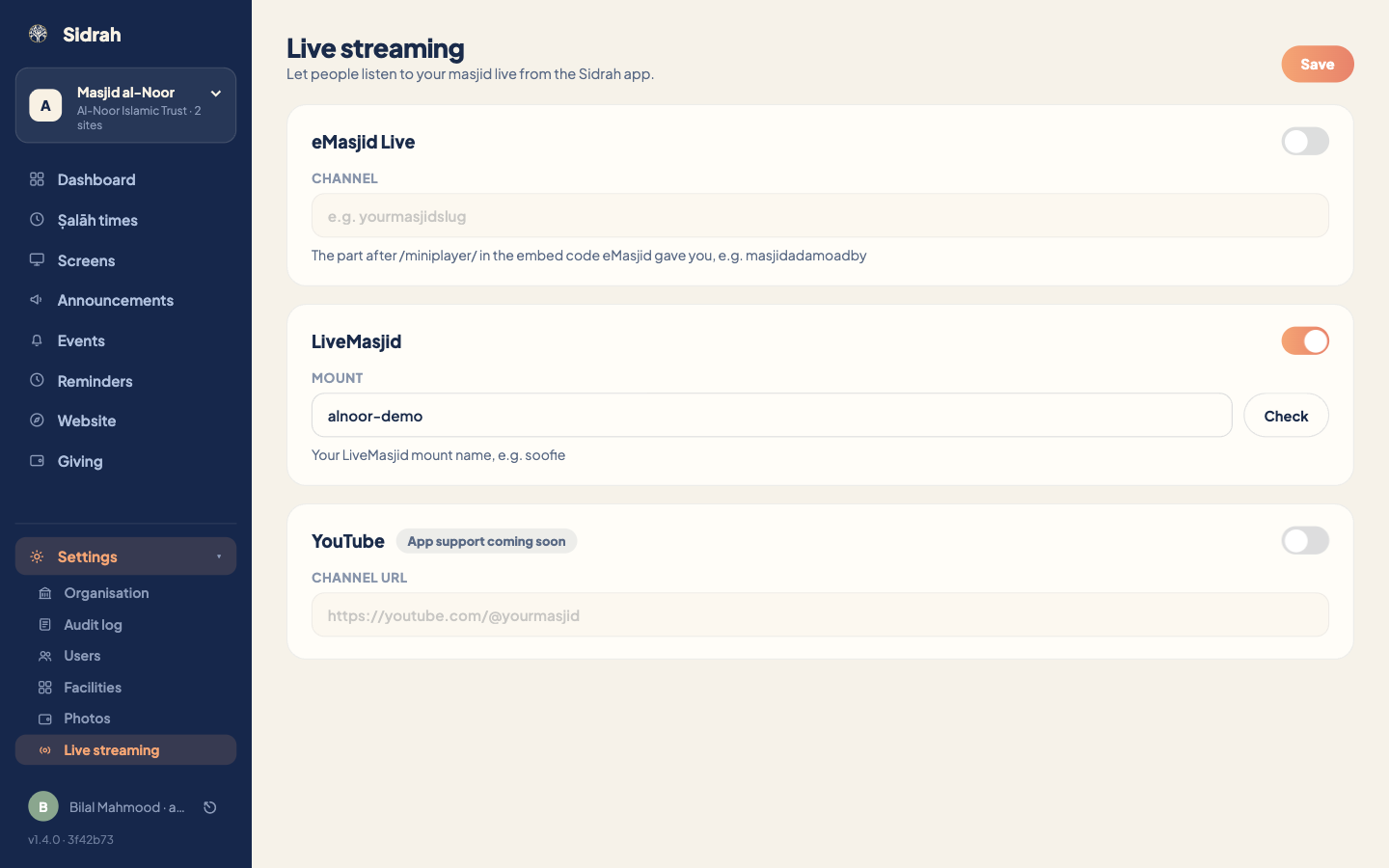
Save #
Press Save at the top right. Saved ✓ appears beside it.
If a card is switched on but its box is empty, nothing is saved. The card asks you to fill it in, with Enter the channel eMasjid gave you or Enter the mount name.
To stop showing the broadcast in the app, switch the card off and press Save.
Check it worked in the app #
Open your masjid's page in the Sidrah app. What you see depends on the service:
- eMasjid Live - the eMasjid player shows on your masjid's page, with its own play button. Below it, a Recordings row, by eMasjid Live, lists past broadcasts.
- LiveMasjid - a Listen live row, via LiveMasjid. While you are broadcasting it reads Live now, with a Listen button. When a broadcast starts, your followers get a push notification saying your masjid is live. If the broadcast stops and starts again within a minute or two, no second push is sent.

The sound comes straight from eMasjid Live or LiveMasjid to the listener's phone. If nothing plays, check your broadcast with that service first. At the moment LiveMasjid broadcasts play on iPhones but not on Android phones, because of a certificate problem on LiveMasjid's side that only they can fix.