You need the organisation's Owner or Finance role, and your organisation's country must be South Africa. You also need a Paystack account in the masjid's or charity's name that you can sign in to.
Donations go straight into your own Paystack account. Sidrah takes 0% and never holds the money. Keep your secret key private. Paste it only into the page in step 3.
Open Settings, then Giving #
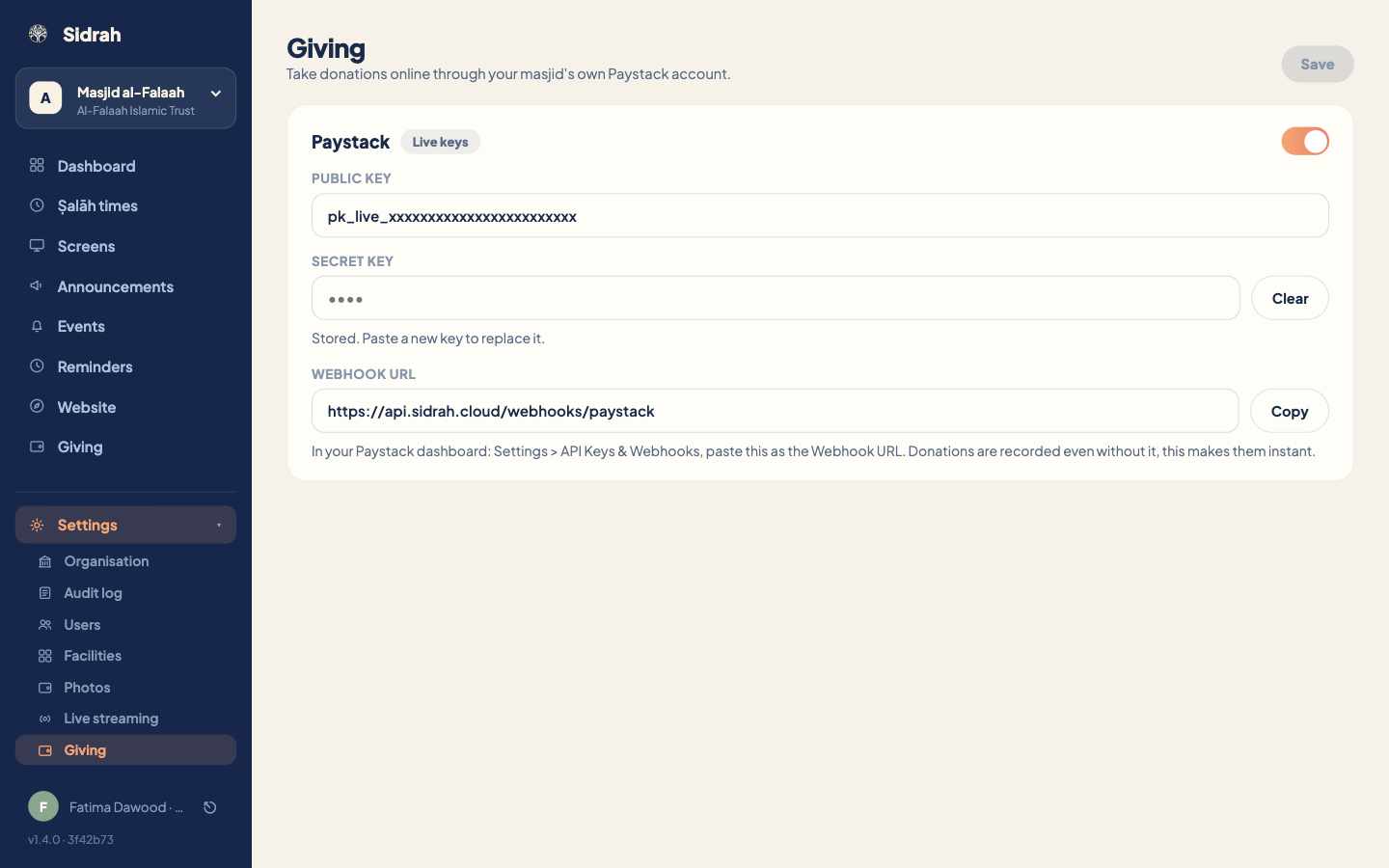
In the menu, open Settings and choose Giving. You only see this item if your organisation is in South Africa. The page has one card, Paystack, with a switch.
Find your keys in Paystack #
In another browser tab, sign in to your Paystack dashboard. Open Settings, then API Keys & Webhooks. You will see a public key and a secret key. Leave this tab open.
Paste the keys and save #
Back in the admin, switch Paystack on. Copy your public key into Public key and your secret key into Secret key. Press Save.
The secret key is checked with Paystack before it is saved. If something is wrong, a red line says why:
- "Paystack rejected this secret key" - copy the key again and paste it.
- "Paystack did not answer just now, so the key could not be checked. Try again in a moment."
Once saved, the secret key is stored encrypted and never shown again. The box shows "Stored. Paste a new key to replace it."
A label next to Paystack shows Live keys or Test keys. Test keys take no real money.
Copy the webhook URL into Paystack #
A webhook is an address Paystack uses to tell Sidrah that a payment has gone through. Under Webhook URL, press Copy. On Paystack's API Keys & Webhooks page, paste it as the Webhook URL and save.
Donations are still recorded without it, but more slowly. With the webhook they appear straight away.
Set a monthly goal #
Under Giving, choose Masjid. The first card now reads Paystack: "This organisation takes donations through Paystack". Under Monthly goals, type an amount in Goal (R) and press Save.
Your give page opens to the public once there is a goal for this month or at least one donation. See Set up giving, step 4.
Check it worked #
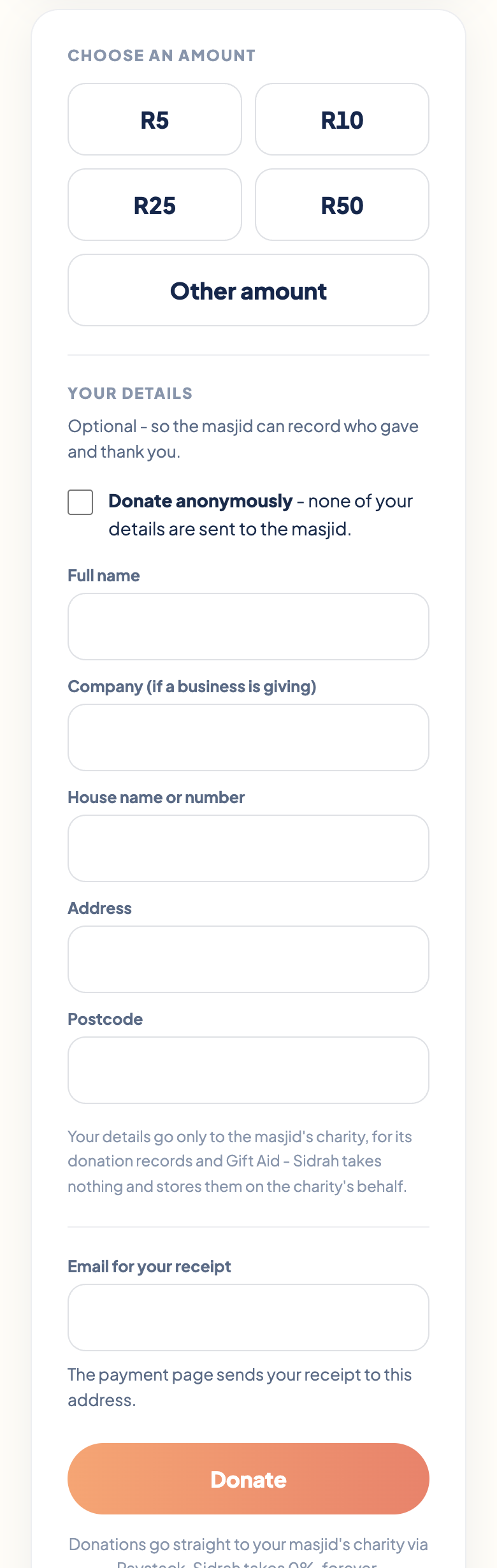
Open your give page. Amounts show in rand. A donor must fill in Email for your receipt, then presses Donate to go to Paystack's payment page. The email is asked for even for an anonymous gift, but the masjid does not see it.
Make a small gift yourself. It should appear under Donations on Masjid giving, and in Reports, with a Paystack label. It also appears in your Paystack dashboard.
Some things work differently from a UK masjid:
- Your give page on the web takes one-off gifts only.
- In the Sidrah phone app, a donor who is signed in can also choose a monthly gift, from R50 a month. They set it up on Paystack's payment page and can stop it any time in My giving in the app.
- There is no Gift Aid. It is a UK scheme.
- Appeals work the same way. See Run an appeal.